Commercial AV · Edinburgh & Scotland

Interactive spaces. Straightforward control.

iiyama interactive displays and Q-SYS room control, with their roles and integration defined around the way your room operates.

Discuss your installation ›

iiyama interactive displays

Work directly with your content.

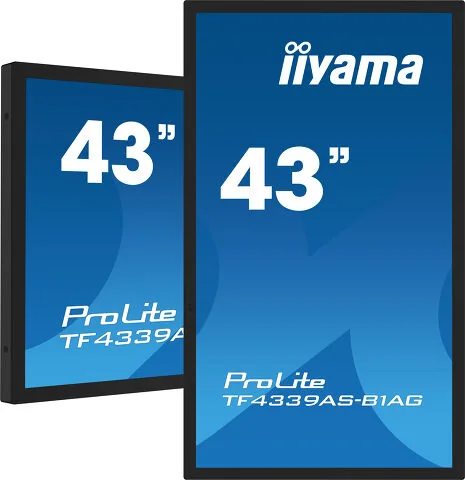
iiyama ProLite TF4339AS-B1AG interactive display

43″ interactive display

iiyama ProLite TF4339AS-B1AG

An all-in-one PCAP touchscreen for interactive information and shared workspaces. It is a display endpoint; any connection to wider room controls is specified and tested separately.

  • 43″ class touchscreen
  • PCAP touch technology
  • Open-frame installation design
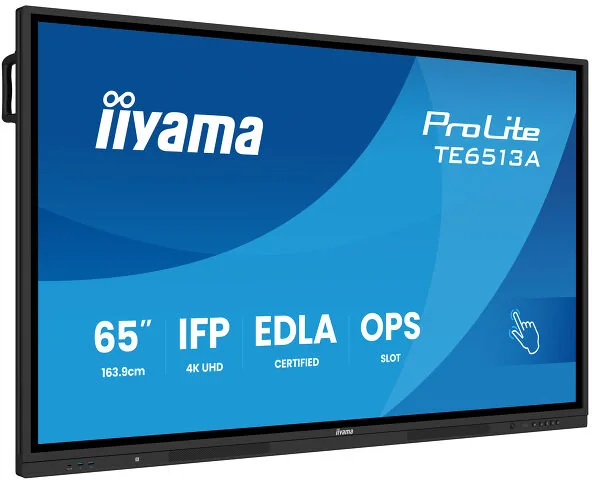
iiyama ProLite TE6513A-B3AG product or range imagery

65″ collaboration display

iiyama ProLite TE6513A-B3AG

A 4K interactive display for annotation and shared content, with Google EDLA certification and iiWare software. Consider it for training and meeting spaces where people work directly at the screen.

  • 4K UHD · PureTouch-IR+
  • Palm rejection
  • USB-C connectivity
  • iiControl device management

Q-SYS Control

Bring the room into one interface.

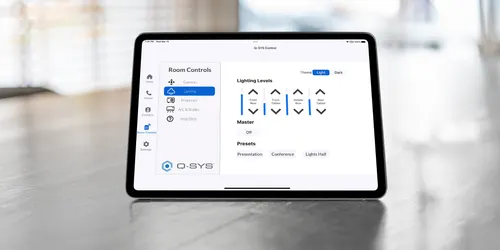
Q-SYS room control interface shown on a tablet

One interface for the room

Q-SYS Control

A control and automation platform that brings supported audio, video and third-party devices into a planned user interface. The processor, licences, device integrations and programming are specified for the project.

  • Custom User Control Interfaces
  • Native Q-SYS and supported third-party integration
  • Touchscreen or supported device access

Plan the experience

Different roles, one coherent room.

Display interaction

The iiyama screens let people interact with content. They are not automatically a controller for every connected AV device.

System automation

Q-SYS can bring supported devices and workflows into a custom interface. Control protocols, plugins, licences and project hardware are verified before implementation.

Handover and ownership

Agree the everyday controls, administrator access, startup behaviour and recovery process. Document the configuration and demonstrate common tasks.

FAQs

Make the intended behaviour explicit.

Can a large touchscreen become a Q-SYS interface?

Potentially, subject to the selected browser or viewer, licensing, network and compatibility. We validate the proposed interface rather than promising support based on touch capability alone.

Can you control existing equipment?

We check its documented control methods and available integrations. Some older equipment may need additional interfaces or replacement.

Let’s plan your installation

A better AV system starts
with a conversation.

Tell us about your space, your priorities and what needs to work better.

Discuss your project ›0131 556 1300